
BCBSM
Blue Cross and Blue Shield of MichiganMedical
4.5936.00 Reviews
- Version
- 5.53.0
- Installs
- 500.00K
- Age Rating
- Everyone
Screenshots
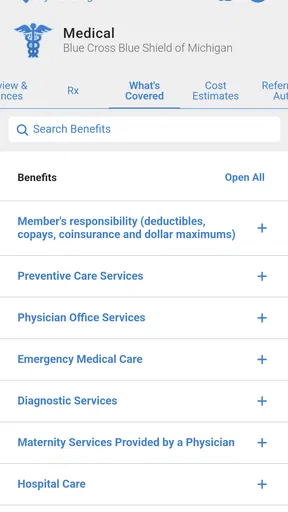
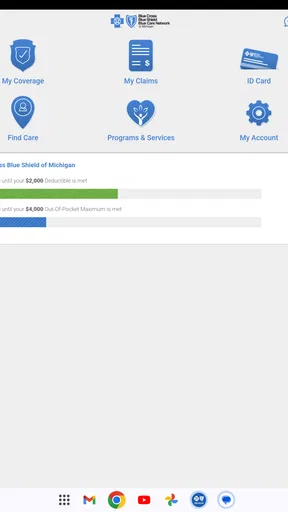
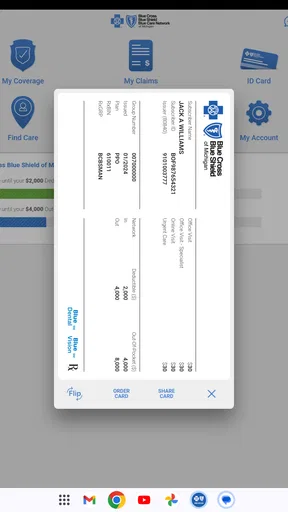
Our Review of BCBSM
 Analysis by Appyee
For Michigan Blue Cross members, BCBSM is the kind of medical app that can remove several small chores from an ordinary healthcare task. I found its value less in flashy extras and more in putting three useful actions in one place: signing in to manage account information, looking for a doctor, and checking the details connected with coverage. That focused approach makes sense for an insurer’s official app, although it also means the experience is most useful when you already have a Blue Cross and Blue Shield of Michigan membership.
My overall view is straightforward: BCBSM works best as a practical member-access tool, not as a general health companion. If you want help locating care or checking your account without reaching for a browser, it is a sensible free download. If you are looking for symptom tracking, exercise coaching, medication reminders, or broad medical education, this is not the app I would choose. Its usefulness depends heavily on your relationship with the Michigan Blue Cross plan behind it.
What the app is really good at
Developed by Blue Cross and Blue Shield of Michigan, this Medical app is built around the moments when healthcare administration becomes inconvenient. I can imagine opening it before booking an appointment, when I need to confirm that I am using the right member account, or when I want to review information without searching through old messages and documents. Those situations are not dramatic, but they are exactly where a dedicated member app can save time.
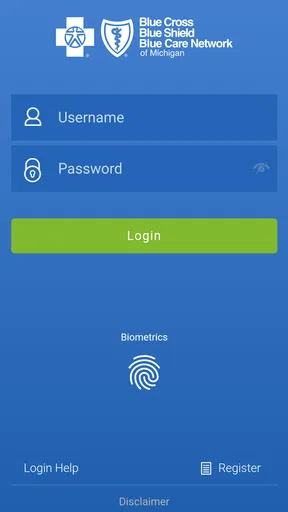
The sign-in area is the foundation of the experience. Once I am dealing with personal coverage information, having a direct route into the account feels more useful than relying on a generic search engine or trying to remember which web page contains the right tool. It also creates a clearer boundary between general information and details tied to my own membership. That distinction matters because a doctor search can be helpful to anyone, while account information needs to be connected to the correct member profile.
The doctor-finding function is the strongest reason I would keep this app installed. Searching for care through an insurer’s own service is more relevant than using a broad directory that may list providers without reflecting the plan I actually use. I would still review the result carefully before making an appointment, but starting inside BCBSM gives the search a practical purpose: finding a doctor in the context of my coverage rather than simply finding the nearest clinic.
That workflow is particularly useful when a routine appointment suddenly becomes urgent. Suppose I move to another part of Michigan, need a new primary-care doctor, or want to help a family member identify a suitable office. Instead of opening several unrelated services, I can begin with the app, sign in, and look for a provider from the same place where I manage my member information. The app does not eliminate every verification step, but it gives me a more logical starting point.
Another quiet strength is the app’s narrow scope. Many health apps try to combine wellness articles, activity goals, reminders, communities, and clinical tools. BCBSM avoids becoming a general-purpose health dashboard. For me, that makes the purpose easier to understand: open it when I have a Blue Cross account task, finish that task, and close it. People who dislike cluttered healthcare apps may appreciate that restraint.
Small workflows that make a difference
I would use BCBSM in a few deliberate ways rather than opening it casually every day. First, I would check the account area before making a healthcare call, especially if I have recently changed providers or need to confirm which member details are current. That preparation can make a phone conversation shorter because I am not trying to reconstruct basic information while speaking with support staff.
Second, I would use the doctor search before asking friends for recommendations. Personal recommendations can be valuable, but they do not automatically match my plan. Starting with the insurer’s directory helps me filter the practical question first: which available doctor should I investigate further? I can then compare location, specialty, and appointment availability through the provider’s own office rather than assuming that a familiar name is covered.
Third, I would treat the app as a companion to, not a replacement for, confirmation. A directory search is a starting point, not a guarantee that every detail will remain unchanged by the time I call. Provider participation, appointment availability, and office procedures can change. The best workflow is to use BCBSM to narrow the options, then confirm the important details directly before arranging care. That is a more realistic use of the app than expecting one search to settle every insurance question.
There is also a useful distinction between convenience and authority. Because the app comes from Blue Cross and Blue Shield of Michigan, I would trust it as the appropriate place to begin with member-related information. I would not use it as a substitute for a clinician’s advice, an emergency service, or a complete medical record. That boundary is important: the app helps me navigate coverage and care access, but it is not designed to diagnose a problem or tell me what treatment I need.
What everyday use feels like
Imagine that I have changed jobs within Michigan and now need to organize a new primary-care visit. My first step would be opening BCBSM rather than searching the wider internet. I would sign in, review the account information available to me, and use the doctor-finding option to create a shortlist. I would then contact the offices to ask about appointment times and confirm that the specific plan is accepted. The app handles the discovery and account-checking stages; the office handles the final scheduling details.
That example shows both the app’s strength and its limit. It reduces the number of places I need to begin, but it does not turn healthcare administration into a single-tap process. I still need judgment, a phone call or other contact with the provider, and attention to the details of my own coverage. I see that as a reasonable trade-off rather than a failure, provided I understand what the app is meant to do.
The app is also useful when I am helping someone who is less comfortable with online healthcare tools. A family member may not know where to start when looking for a doctor, while a simple explanation—sign in, check the account area, then search for care—can make the process less intimidating. I would still avoid handling another person’s private account casually, but the focused layout gives the conversation a clear structure.
Where BCBSM falls short
The biggest weakness is its limited audience. BCBSM is not a universal healthcare directory that makes equal sense for every Android or iOS user. Its central functions are tied to Michigan Blue Cross membership, so someone outside that audience may download it, look around, and find little reason to return. Even within the member group, the app is mainly useful when I need account access or provider discovery; it does not appear intended to become a daily health habit.
That limitation becomes important when comparing it with the usual alternatives. A general search engine may offer broader provider information and more public reviews, while a hospital or clinic app may be better for appointments, messages, test results, or care delivered by that particular organization. A wellness app will usually offer more tracking and coaching. BCBSM occupies a narrower middle ground: it connects the member to insurer-related information and doctor search, but it is not the best single tool for every healthcare task.
I would also avoid assuming that an insurer directory answers every question about a provider. Even when a doctor appears in a search, I would still verify the office’s current acceptance of my plan and ask about practical details such as new-patient availability. This is not a criticism unique to BCBSM; it is a normal trade-off with directories. The app can reduce the search burden, but it cannot replace a final check with the provider.
Another point of friction is the dependence on account access. For a member who has forgotten login details, has trouble with authentication, or is trying to solve an urgent administrative issue, the app may not feel faster than using the web or contacting customer support. A mobile shortcut is only convenient when the sign-in process goes smoothly. I would keep alternative access information available rather than relying on the app as my only route to important coverage details.
The focused design can feel sparse if I expect a broader health platform. There is no reason to install it for entertainment, motivation, or general wellness content. I would not recommend it to someone who wants one app to record symptoms, plan workouts, manage nutrition, and communicate with clinicians. Its restraint is a benefit for member tasks, but it is a drawback for anyone expecting a complete personal health hub.
Privacy is another reason to use it thoughtfully. An app connected to account information deserves the same care I would give any financial or medical service: I would use my own device where possible, avoid sharing login details, and sign out or protect the device when other people use it. Those are sensible habits rather than special features, but they matter more here than they would in a simple public directory.
Who should install it
I would recommend BCBSM first to Michigan Blue Cross members who regularly need to check account information or locate doctors. It is especially suitable for people who prefer a direct mobile route instead of navigating a full website. New members may find it useful during the transition into a plan, while established members may appreciate having a familiar place to begin when changing doctors or checking coverage-related details.
It can also suit caregivers who help a relative organize routine care, provided the account and privacy arrangements are handled properly. The doctor search gives the caregiver a practical starting point, while the account area keeps the task connected to the relevant membership. I would still involve the member in decisions and confirm sensitive details rather than treating the app as permission to manage everything on someone else’s behalf.
I would skip it if I am not a Michigan Blue Cross member, if I only need general health information, or if my main goal is managing appointments and records inside a particular hospital system. In those cases, a provider-specific app or a broader medical service may fit better. I would also skip it as my only healthcare app if I want wellness tracking or symptom tools; BCBSM’s purpose is more administrative and navigational.
The app is free, carries an Everyone content rating, and has reached over 500 thousand installs. Its average rating is 4.5 from around 10 thousand ratings, with 936 reviews, which suggests that many users find the basic experience worthwhile. I treat those figures as useful context rather than a guarantee: an app can be well received overall and still be a poor match for someone who does not need insurer account access.
BCBSM has been available since May 18, 2016, and the current version is 5.53.0. It supports devices running Android 7.0 or later. That makes the app accessible to people using older Android hardware, although I would still keep the operating system updated when possible because medical account access deserves a reasonably secure device. The long availability also gives it the feel of an established member service rather than a temporary experiment.
My verdict after weighing convenience against scope
I see BCBSM as a useful specialist tool with a clear job. Its best contribution is reducing the friction between being a Michigan Blue Cross member and taking the next practical step: checking account information or finding a doctor. I like that it does not pretend to be a replacement for a clinician, a hospital portal, or a wellness coach. That clarity makes it easier to recommend to the right person.
At the same time, I would not oversell it. The app will not solve every coverage question, guarantee a provider’s current availability, or replace direct communication with a medical office. Users who need appointment scheduling, test results, messaging, or personal health tracking may need additional apps. The most reliable approach is to use BCBSM for discovery and member access, then verify important details through the appropriate healthcare professional or office.
My final recommendation is therefore conditional but positive: if you are a Michigan Blue Cross member, BCBSM is worth keeping as a convenient first stop for doctor searches and account information. I would install it for those specific tasks and judge it by how quickly it helps me begin them, not by whether it offers the broad feature set of a wellness platform. For the right audience, that focused purpose is enough to make it genuinely useful.
Verdict
Strengths of BCBSM
- Easy access to health plan information and member benefits.
- Digital ID cards can be viewed when visiting doctors or pharmacies.
- Secure messaging helps members contact customer support privately.
- Claims and coverage details are available directly from the app.
- Provider search tools can help locate in-network doctors and facilities.
Limitations of BCBSM
- Features may vary depending on your specific BCBSM plan.
- Some users may experience slow loading or occasional login issues.
- The app is less useful for people who are not BCBSM members.
- Provider information may not always reflect the latest availability.
- Certain services may redirect users to a mobile website instead of staying in-app.
Similar Picks in This Category
View All
WebMD: Symptom Checker
WebMD, LLC4.1

Microphone Amplifier
DOSA Apps4.2

Anatomy Learning - 3D Anatomy
3D Medical OU4.5

Period Tracker and Calendar
SimpleInnovation4.9

GoodRx: Prescription Coupons
GoodRx4.8

CVS Health
CVS Pharmacy4.5
Frequently Asked Questions
What is BCBSM, and what can I use the app for?
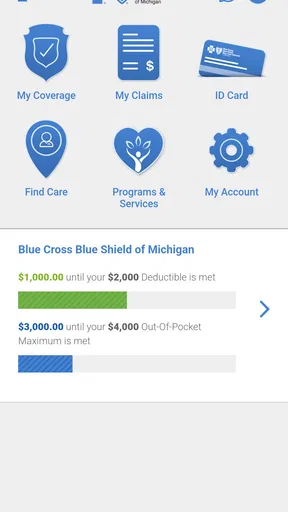
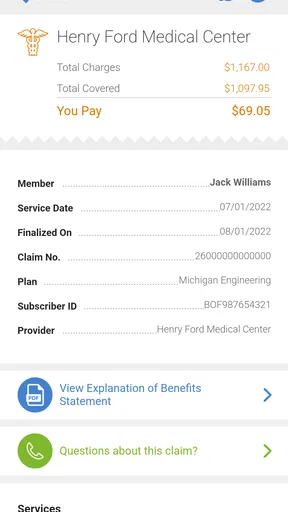
BCBSM is the official mobile app for Blue Cross Blue Shield of Michigan members. After signing in, you can review coverage details, check claims, view your member ID card, search for in-network doctors and facilities, estimate certain healthcare costs, and access plan information. Available tools may vary depending on your specific employer-sponsored or individual insurance plan.
How do I sign in to the BCBSM app?
To use most features, you generally need an active Blue Cross Blue Shield of Michigan member account. You can sign in with your existing online credentials or follow the registration process in the app if you are a new user. Keep your member information available, and make sure your email address and contact details are current to complete verification or recover access.
Can I use the BCBSM app as a digital insurance card?
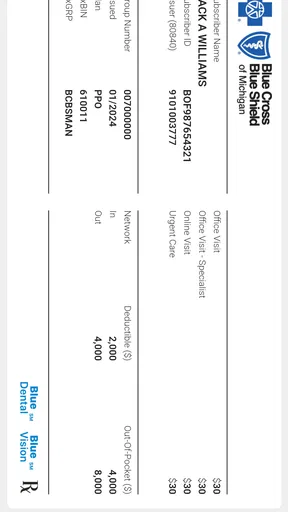
Yes, eligible members can usually access a digital version of their Blue Cross Blue Shield of Michigan member ID card through the app. This can be convenient when visiting a doctor, pharmacy, or hospital. However, you should confirm that your provider accepts the digital card and consider keeping a physical card available in case your phone has no battery or internet connection.
Can I find doctors, hospitals, and pharmacies through BCBSM?
The app typically includes provider-search tools that help members locate doctors, hospitals, urgent care centers, pharmacies, and other healthcare professionals within their plan network. Search results can depend on your selected plan, location, and provider details. Always verify network participation directly with the provider before receiving care, because directories and coverage information can change.
Is the BCBSM app free, and is my personal information secure?
The BCBSM app is generally available to eligible members at no additional app-download cost, although your insurance plan, copayments, deductibles, and other healthcare expenses still apply. The app may require secure login methods and can handle sensitive health and insurance information. Download it only from an official app store, use a strong password, and avoid signing in on shared devices.
